Brand Kit Options for Interactive AI Demos
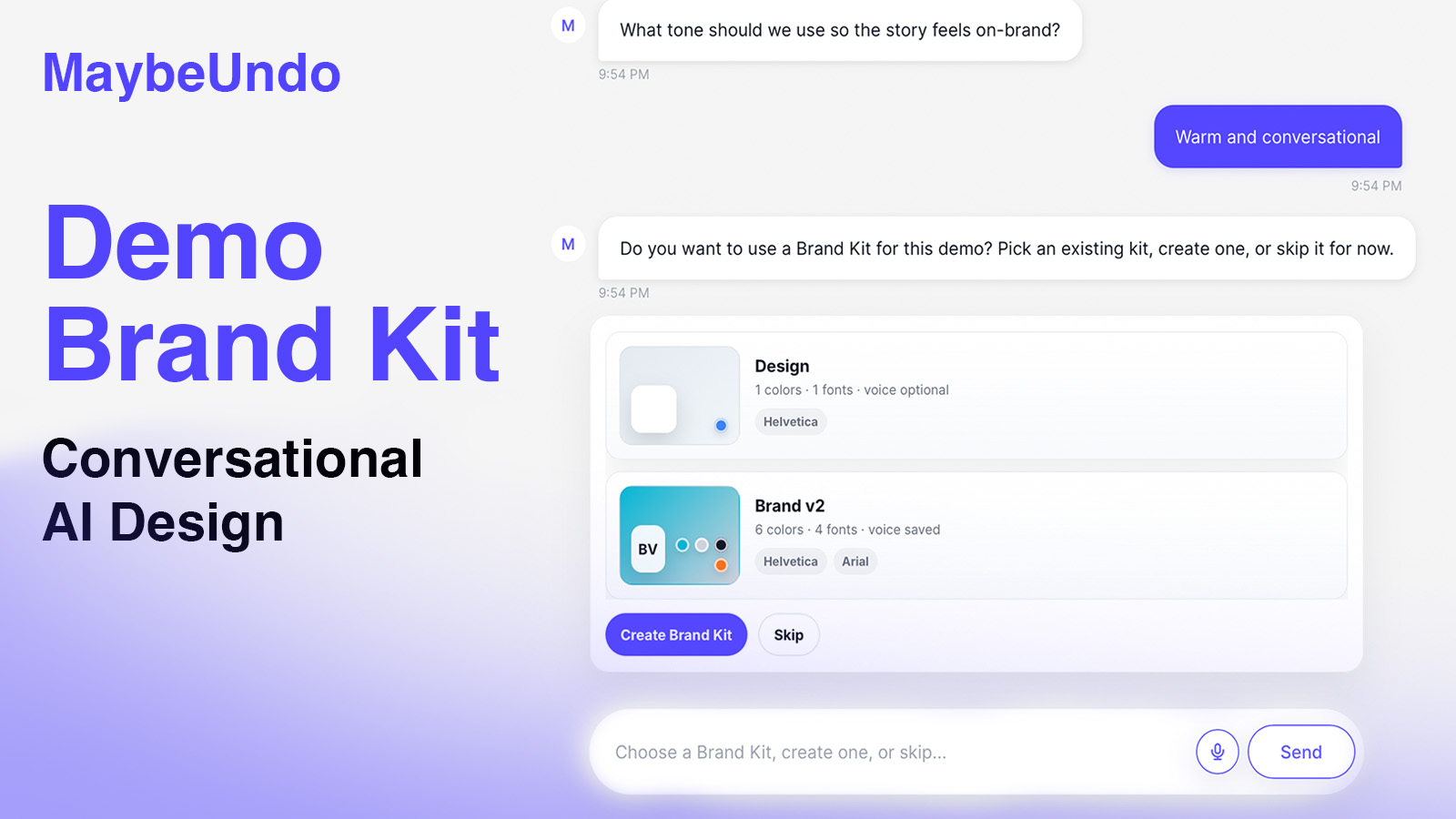
Interactive AI demo setup now gives teams more flexibility alongside existing brand kit selection.
What changed
More Flexible Brand Kit Choices
Continue using existing brand kits when they already fit the demo Skip brand kit selection when you want to draft the interactive AI demo first Create a new brand kit when the saved kits are not the right match
Create a New Brand Kit During Setup
Add a new brand kit from the interactive AI demo setup flow Use a fresh brand setup when an existing kit does not fit the demo Avoid leaving the conversational brief flow just to prepare brand assets first
More Flexible Demo Creation
Choose the brand path that matches the moment: existing kit, new kit, or no kit yet Make interactive AI demo creation work better for new teams, new campaigns, and one-off demos Keep the existing brand kit path intact while adding lighter-weight options
Why it matters
This update builds on the existing brand kit workflow in the conversational brief creation flow. Teams can still choose a saved brand kit when one fits the demo, but they no longer have to stop there.
When the right kit is not ready yet, teams can skip the step and keep drafting. When a demo needs a fresh brand direction, they can create a new brand kit during setup without leaving the flow.